Kaip?

Kaip evizitinės QR kodą nukreipti į vcard?

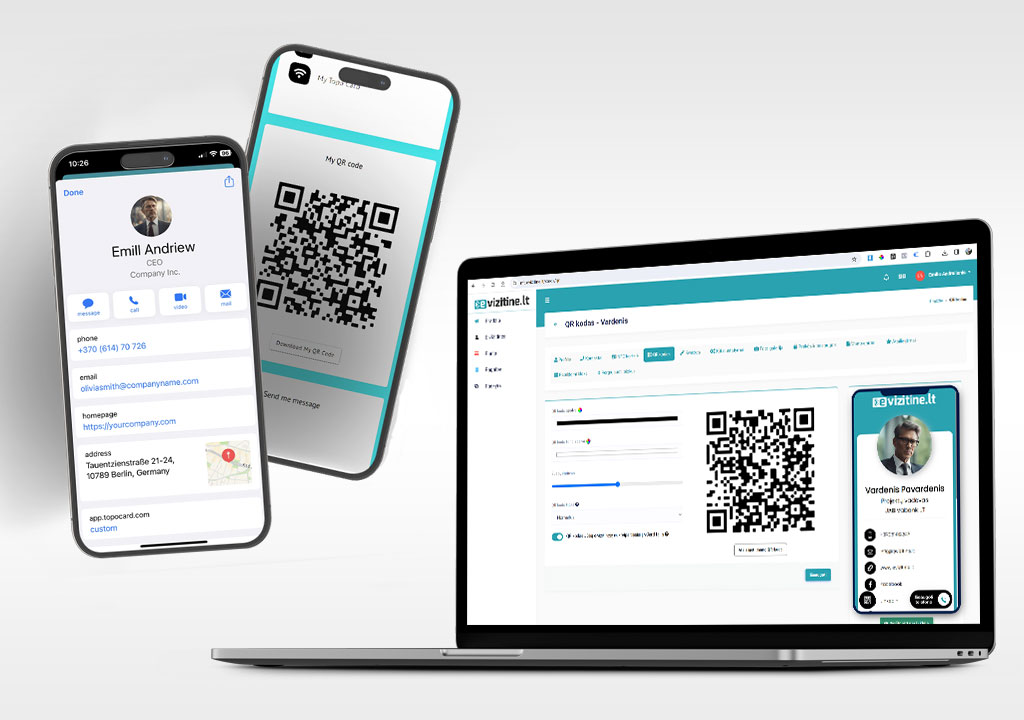
Jei norite, kad nuskenavus Jūsų evizitinės QR kodą kliento telefone automatiškai būtų paruoštas kontaktas įrašymui į telefoną, jūs galite tai pakeisti savo evizitinės nustatymuose.

  1. Eikite į norimą evizitinę ir spauskite redaguoti.
  2. Eikite į meniu "QR kodas"
  3. Pasirinkite "QR kodas Jūsų e-vizitinėje nukreips tiesiai į vCard failą"
  4. Spauskite išsaugoti.

Pagal nutylėjimą, ši funkcija yra išjungta ir QR kodas nukreipia į Jūsų evizitinę, kurioje klientas vos keliais mygtuko paspaudimais gali išsaugoti Jūsų kontaktus telefone.

5 thoughts on “Kaip evizitinės QR kodą nukreipti į vcard?

  1. neko999slot parašė:

    Such a fun and relaxed place to hang out virtually. The graphics are crisp and the sound effects really pull you into the moment. Withdrawals hit my account faster than I expected and the support team is always ready to help. neko999slot

  2. aubetebet parašė:

    Finding a site that balances fun and fairness is rare but I found it here. The withdrawal times are incredibly fast and I never had any issues with my account. Explore aubetebet and discover why so many players are switching over.

  3. kim66vin parašė:

    This platform welcomed me right from the first click and kept the warmth going. Every feature feels thoughtfully placed and the security gives me total peace of mind while I play. It really knows how to make gaming feel like a relaxing getaway. kim66vin

Parašykite komentarą

El. pašto adresas nebus skelbiamas. Būtini laukeliai pažymėti *